


If you sell physical products, barcodes keep your inventory accurate and your checkout fast. They make stock counts quicker, cut down on picking mistakes and help your POS scan items in seconds.
Shopify lets you add a barcode number to each product variant, but it has no built-in way to generate and print barcode labels from your admin. For that, you need a Shopify barcode app.
We compared 10 Shopify barcode apps on features, free plans, pricing, label printing and real merchant reviews, using live Shopify App Store data checked on October 19, 2026. You will also find a plain-English guide to the barcodes you actually need, because that is where most store owners get stuck.
- Best overall: ReFo Barcode Labels (Retail Force Barcodes & Labels), free with no label limits.
- Best for label design: MS Barcode Labels, a drag-and-drop designer from free.
- Best for high volume: Yanet, scales from 200 free labels to unlimited.
- Best for barcodes plus inventory: EasyScan, unlimited labels from $9.99/month.
- Best on a budget: SGT, SKU rules and unlimited codes for $3.99/month.
- Best for metafields on labels: BarcodeMan, from $5.99/month.

If you want one app that just works, start with ReFo. It generates barcodes and SKUs for your whole catalog in a click, supports UPC-A, UPC-E, EAN-8, EAN-13, Code 128 and QR codes, and prints labels with the name, SKU, price and variant on Zebra, Dymo, Brother, Rollo and more than 2,000 other printer and paper brands. It even flags products that are missing a barcode. It is the first organic result for "barcode generator" on the Shopify App Store, and unlike most apps here, there is no paid tier to unlock barcodes or label printing.
Contents
- What a Shopify Barcode Generator App Does
- Internal Barcodes vs GS1 Barcodes: Which Do You Need?
- How We Ranked the Best Shopify Barcode Apps
- Best Shopify Barcode Generator Apps Compared
- The 10 Best Shopify Barcode Generator Apps Reviewed
- How to Create and Print Barcodes in Shopify
- Final Verdict on the Best Shopify Barcode Apps
- Shopify Barcode Generator FAQ
What a Shopify Barcode Generator App Does
A barcode turns a product into something a scanner can read in a split second. At checkout it pulls up the right price, in the stockroom it confirms you picked the right item, and during a stock count it saves you typing every SKU by hand. For any Shopify store that sells in person, ships from a warehouse or keeps more than a few dozen products, barcodes stop being optional fast.
Shopify gives you a place to store them but not much more. Every product variant has a Barcode (ISBN, UPC, GTIN, etc.) field, yet Shopify does not issue barcodes for you. Its free online barcode generator creates one image at a time, and its free Retail Barcode Labels app only creates 8-digit Code 128 codes with fixed label templates, as Shopify's help center explains. A dedicated Shopify barcode generator app fills the gaps:
Internal Barcodes vs GS1 Barcodes: Which Do You Need?
Before choosing an app, decide which kind of barcode you need. This is the question merchants ask most, and the answer changes what you should install.
For your own checkout, stockroom and stock counts. Every app on this list can create these instantly.
Needed for Amazon, Google Shopping, Walmart and selling wholesale to other retailers.
Links to a product page, reviews, care guides or returns. GS1 aims to support 2D barcodes at checkout by the end of 2027.
Internal barcodes are all you need if you only sell through your own Shopify store and POS. They are free, unique within your store and work perfectly with scanners. They are not registered anywhere else, so another business could use the same number.
GS1 barcodes are the official, globally unique codes behind the UPC on supermarket shelves. GS1 US charges $30 for a single GTIN, or $2,500 for a block of 1,000 plus a $500 yearly renewal, according to Shopify's barcode guide. Amazon checks product IDs against GS1's records, and Google Shopping expects a valid GTIN for branded products, which is why codes from Shopify's own label app are not suitable for Google Shopping. If you buy GS1 codes, paste them into each variant's Barcode field and use any app below to print them. Apps such as GS1 Assistant help assign codes from your own GS1 block.

How We Ranked the Best Shopify Barcode Apps
We started with the top results for "barcode generator" on the Shopify App Store, Shopify's SKU and barcode category, and the apps covered by Shopify's own blog, Rankbase and EComposer. We narrowed those to the 10 apps below and judged each one on the same five points:
- Merchant trust: App Store rating, number of reviews and the share of one-star reviews. We read the negative reviews, not just the five-star ones.
- Barcode and label features: formats supported, bulk generation, duplicate checks, label design and printer support.
- Value: what the free plan really includes and what you pay as your label volume grows.
- Ease of use and support: setup, how quickly you can print a first label and support quality, based on reviews.
- Track record: how long the app has been live, the Built for Shopify badge and any problems reported in 2025 and 2026.
All prices, ratings and review counts come from the live Shopify App Store listings on October 19, 2026. We did not install all 10 apps on one test store, so for hands-on details we rely on merchant reviews, the developers' own documentation and Shopify's help center, and we say where each detail comes from.
Transparency note: no app paid to be included or ranked, and our links to the Shopify App Store are not affiliate links. Every app was scored on the same criteria, and we list each one's weaknesses as clearly as its strengths.
Best Shopify Barcode Generator Apps Compared
Here are the 10 best barcode apps for Shopify at a glance. Tap Get app to open the App Store listing, or scroll down for the full review of each one.
| App | Best for | Starting price | |
|---|---|---|---|
|
1. ReFo Barcode Labels(Retail Force Barcodes & Labels)
|
Free bulk labels | Free | Get app |
 2. MS Barcode Labels 2. MS Barcode Labels
|
Label design | Free, then $7.99/mo | Get app |
 3. Yanet Barcode Labels 3. Yanet Barcode Labels
|
High volume | Free, then $7.99/mo | Get app |
 4. EasyScan 4. EasyScan
|
Barcodes plus inventory | From $9.99/mo | Get app |
 5. SGT: SKU and Barcode Generator 5. SGT: SKU and Barcode Generator
|
SKU rules on a budget | Free, then $3.99/mo | Get app |
 6. BarcodeMan 6. BarcodeMan
|
Metafields on labels | Free, then $5.99/mo | Get app |
 7. Airo Barcode Labels 7. Airo Barcode Labels
|
Free auto generation | Free | Get app |
 8. CTS Multi Barcode Labels 8. CTS Multi Barcode Labels
|
Advanced templates | $9.99/mo | Get app |
 9. F: Retail Barcode Generator 9. F: Retail Barcode Generator
|
Buying UPC/EAN codes | Free, then $19/mo | Get app |
 10. Shopify Retail Barcode Labels 10. Shopify Retail Barcode Labels
|
Basic free labels | Free | Get app |
Prices are the lowest paid monthly plan in USD. Checked on October 19, 2026.
The 10 Best Shopify Barcode Generator Apps Reviewed
Each review covers what the app does best, its pricing, who it suits and the real problems merchants have reported. Every app here can be the right choice for the right store.
1. ReFo Barcode Labels (Retail Force Barcodes & Labels): Best free Shopify barcode generator

ReFo (Retail Force Barcodes & Labels), also listed as RF Barcode Labels Generator, is the most-reviewed barcode label app in its category, with more than 550 reviews at a perfect 5.0 rating and only about 1% one-star reviews. It is also the first organic result on the Shopify App Store for "barcode generator" and the top app in Shopify's SKU and barcode category, and it carries the Built for Shopify badge.
Why it's on our list: it does the core job well and costs nothing. You can generate barcodes and SKUs for one product or your whole catalog in a click, choose from UPC-A, UPC-E, EAN-8, EAN-13 and Code 128, and print labels showing the product name, SKU, price, options and tags. It works with Zebra, Dymo, Brother and Rollo printers plus more than 2,000 printer and paper brands, and it flags products that are missing a barcode or SKU so nothing slips through.
What stands out: no label limits and no paid tier to unlock barcodes, which is rare in this category. It also works with Shopify POS for scanning at checkout, supports 10 languages, and merchants regularly name support staff such as Mehak and Frank for hands-on setup help.
Watch out for: the codes it creates are internal barcodes, so if you sell on Amazon or Google Shopping you still need official GS1 GTINs (you can print those with ReFo (Retail Force Barcodes & Labels) once you have them). A couple of recent reviewers found the support team too eager, one mentioning frequent chat messages and another saying they did not need a video call to get answers.
- Bulk barcode and SKU generation
- UPC-A, UPC-E, EAN-8, EAN-13
- Code 128 and QR codes
- Name, SKU, price and options on labels
- Zebra, Dymo, Brother and Rollo
- 2,000+ printer and paper brands
- Missing barcode and SKU checker
- Works with Shopify POS
Pros
- Free with no label limits
- Every common barcode format
- Very wide printer support
- Flags products missing a barcode
Cons
- Creates internal codes, not GS1 GTINs
- Support can be more hands-on than some want
2. MS Barcode Labels: Best for designing custom labels

MS Barcode Labels & Generator by Magestore has a 4.9 rating from more than 400 reviews and the Built for Shopify badge. It pairs a barcode and SKU generator with one of the most flexible label designers in the category.
Why it's on our list: the free plan gives you 200 labels a month plus 500 gift labels, enough for many small stores. The $7.99 Standard plan raises that to 2,000 labels a month, Pro at $27.99 is unlimited, and pay-as-you-go top-ups start at $11.99 for 2,000 labels if your volume is seasonal.
What stands out: the drag-and-drop designer lets you place the barcode, QR code, name, SKU, price and tags exactly where you want and save the layout as a template. You can print from product pages or straight from Stocky purchase orders. Reviewers often credit support staff such as Ivy for helping them design their first labels.
Watch out for: support response times vary. One January 2026 reviewer waited 30 minutes for live chat, and an August 2026 reviewer said a saved label file was lost after buying a yearly plan. Another merchant said feature requests could take up to two months.
- GTIN, EAN, UPC and SKU generation
- Drag-and-drop label designer
- Saved label templates
- QR codes on labels
- Bulk printing
- Print from Stocky purchase orders
- 500 free gift labels
- Top-ups from $11.99
Pros
- Generous free plan
- Powerful template designer
- Flexible pricing, including pay as you go
Cons
- Support can be slow at times
- Monthly label quotas to watch
3. Yanet Barcode Labels: Best for high-volume stores and teams

Yanet Retail Barcode Labels has been on the App Store since 2022 and holds a 4.9 rating from more than 450 reviews, with the Built for Shopify badge. It scales further than most apps here, from 200 free labels a month to unlimited printing.
Why it's on our list: pricing grows with you. Pro at $7.99 a month gives 2,000 labels and a GTIN generator, Ultimate at $29.99 gives 25,000 labels and staff permissions, and Unlimited is $69.99. Extra label packs start at $15 for 2,000 if you only need a top-up.
What stands out: a no-code designer, bulk printing by product or CSV, and Shopify Flow support for automating label jobs. Reviewers like that they reach real people rather than bots, and staff such as Pauline are named in several 2026 reviews.
Watch out for: an August 2026 reviewer said printing from Stocky purchase orders stopped working after Shopify's changes, and called setup a little tricky. In March 2026 a merchant said printed labels did not match the preview size and would not scan, and another felt pushed toward a paid plan before they could use the app.
- No-code template designer
- Multiple barcode formats
- GTIN generator on Pro
- Bulk printing by product
- CSV printing
- Staff permissions
- Shopify Flow automation
- Plans up to unlimited labels
Pros
- Scales from free to unlimited
- Staff permissions for teams
- CSV and Flow support
- Responsive human support
Cons
- Setup takes some learning
- Stocky PO printing affected by Shopify changes
- Test print sizes before a big run
4. EasyScan: Best for barcodes plus inventory management

EasyScan by 506 (part of Shop Circle) holds a perfect 5.0 rating from more than 370 reviews, and when we checked it had no one-star or two-star reviews at all. It has been on Shopify since 2020 and carries the Built for Shopify badge.
Why it's on our list: it goes beyond printing labels. The $9.99 Basic plan already includes unlimited barcodes, SKUs, labels and templates. Standard at $39.99 adds scan-based pick, pack and fulfil, inventory, bin locations and low-stock alerts, Advanced at $79.99 adds purchase orders, forecasting and six users, and Pro at $129.99 adds unlimited users, an API and Slack.
What stands out: merchants describe it as easy and reliable, and several moved to it smoothly after Shopify retired Stocky. If you want one tool for barcodes, stock counts and reordering, it is the most complete option on this list.
Watch out for: there is no free plan, and a September 2026 reviewer felt it was too expensive for a small business compared with simpler label apps. Its mobile experience is weaker than desktop, and one merchant reported a correct item being flagged as wrong on the first scan.
- Unlimited barcodes and SKUs
- Unlimited labels and templates
- Scan to pick, pack and fulfil
- Stock counts and bin locations
- Low-stock alerts
- Purchase orders
- Forecasting
- API and Slack on Pro
Pros
- Spotless review record
- Unlimited labels from $9.99
- Real inventory and fulfilment tools
- Smooth move from Stocky
Cons
- No free plan
- Higher plans get expensive
- English only, mobile is weaker
5. SGT: SKU and Barcode Generator: Best budget pick for SKU and barcode generation

SGT by SingleTec launched in 2023 and holds a 4.8 rating from about 50 reviews. Where many apps focus on label design, SGT focuses on creating clean, consistent codes in bulk.
Why it's on our list: it is the cheapest paid plan here. The free plan generates 100 codes a month with unlimited label printing, and $3.99 a month (or $39 a year) unlocks unlimited codes, automatic generation for new products and bulk generation by collection.
What stands out: custom SKU rules and a duplicate finder, which matter once your catalog grows. It supports GS1 formats including UPC-A, EAN-13, EAN-8 and ITF-14 for cases, prints to Zebra, DYMO, Avery, Brady and Brother, and imports codes by CSV.
Watch out for: SKU generation briefly failed during an update in September 2025, which the developer says it rebuilt and fixed. The label download pop-up can fail inside the Shopify mobile app on iPad, so print from a desktop browser. The app is English only.
- Bulk and automatic generation
- Custom SKU rules
- UPC-A, EAN-13, EAN-8
- ITF-14 for cases and QR
- Generate by collection
- CSV import
- Duplicate finder
- Zebra, DYMO, Avery, Brady, Brother
Pros
- Lowest paid price on the list
- Smart SKU rules
- Duplicate finder
- GS1 formats including ITF-14
Cons
- Smaller review base
- Basic label design
- Print from desktop, not the iPad app
6. BarcodeMan: Best for custom labels with metafields
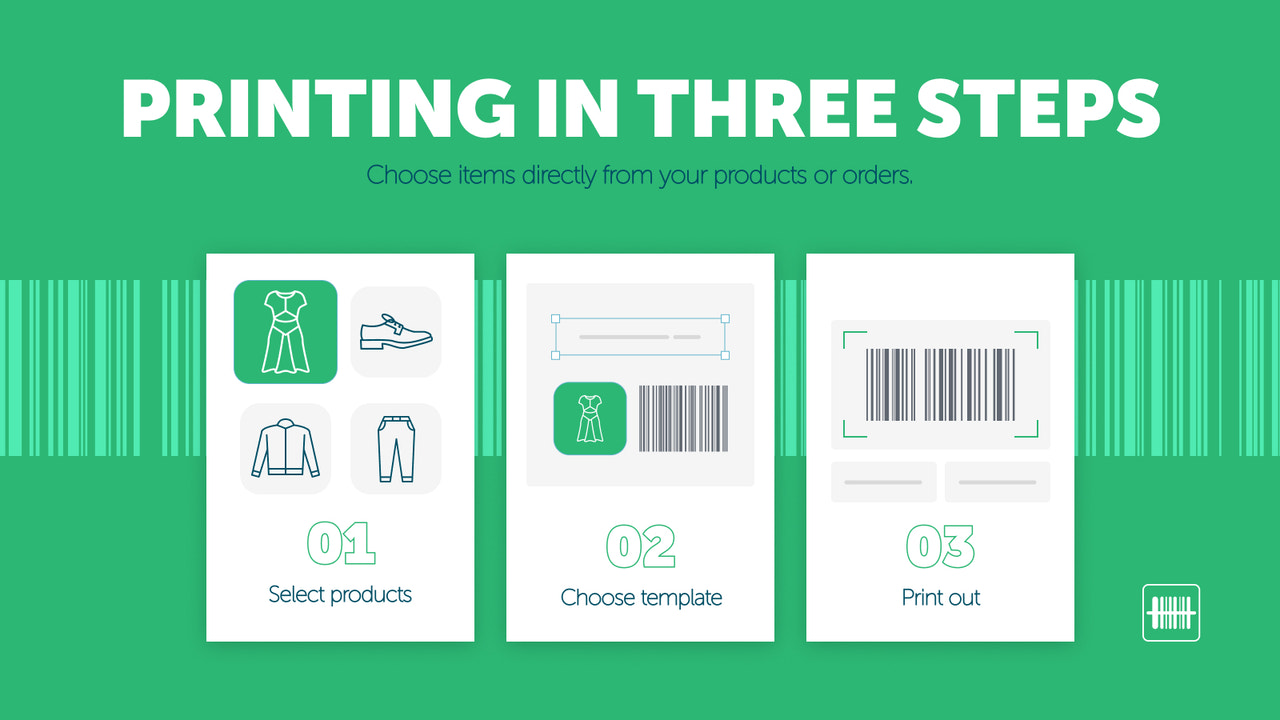
BarcodeMan by Gookit has been on Shopify since 2020 and holds a 4.8 rating from about 95 reviews, with the Built for Shopify badge. Its standout is how much product data you can put on a label.
Why it's on our list: it can print metafields and international prices, which most label apps cannot. That makes it useful for stores that need care instructions, materials, sizes or market-specific prices on tags.
What stands out: a drag-and-drop designer with many label sizes, support for Code 128, UPC-A, UPC-E, EAN-13, EAN-8 and GS1-128, and random barcode and SKU generation. It also kept up with Shopify's changes, adding printing from Transfers after Stocky was retired, and reviewers praise support staff such as Mallory.
Watch out for: the free plan prints text only, so you need the $5.99 Pro plan for barcodes and QR codes. One 2025 reviewer lost previously saved labels, and another struggled to get barcodes to scan, so test before a big print run.
- Drag-and-drop designer
- Metafields on labels
- International prices
- Code 128, UPC-A, UPC-E
- EAN-13, EAN-8, GS1-128
- QR codes
- Random barcode and SKU generation
- Print from Transfers
Pros
- Metafields and market prices on labels
- Low Pro price
- Kept up with Shopify changes
Cons
- Barcodes need the Pro plan
- Designer has a learning curve
- A few reports of lost templates
7. Airo Barcode Labels: Best free app for automatic barcode and SKU creation

Airo Barcode Labels Generator launched in January 2026, making it the newest app on our list. It is free, carries the Built for Shopify badge and shows a 5.0 rating from a few dozen reviews.
Why it's on our list: it automates the boring part. It generates barcodes and SKUs for you, lets you add prefix and suffix rules so codes follow your naming system, checks for duplicates and prints labels in bulk or from a CSV, all without a paid plan.
What stands out: for a free app, the SKU rules and duplicate checks are thoughtful touches that usually sit behind a paid tier elsewhere.
Watch out for: its track record is the shortest here, so treat the rating with some care. A May 2026 one-star reviewer said the app had been unreliable for them and mentioned being offered an incentive to leave a positive review. The app is English only. Try it on a few products before generating codes for your whole catalog.
- Automatic barcode generation
- Automatic SKU generation
- GTIN, EAN and UPC formats
- Prefix and suffix rules
- Duplicate checks
- Bulk printing
- CSV printing
Pros
- Free automatic generation
- SKU prefix and suffix rules
- Duplicate checks at no cost
Cons
- Newest app with a short review history
- English only
- Test carefully before full rollout
8. CTS Multi Barcode Labels: Best for advanced label templates
CTS Multi Barcode Labels by Cashew Tree Software is one of the longest-running apps in the category, live since 2017, with a 4.9 rating from more than 90 reviews.
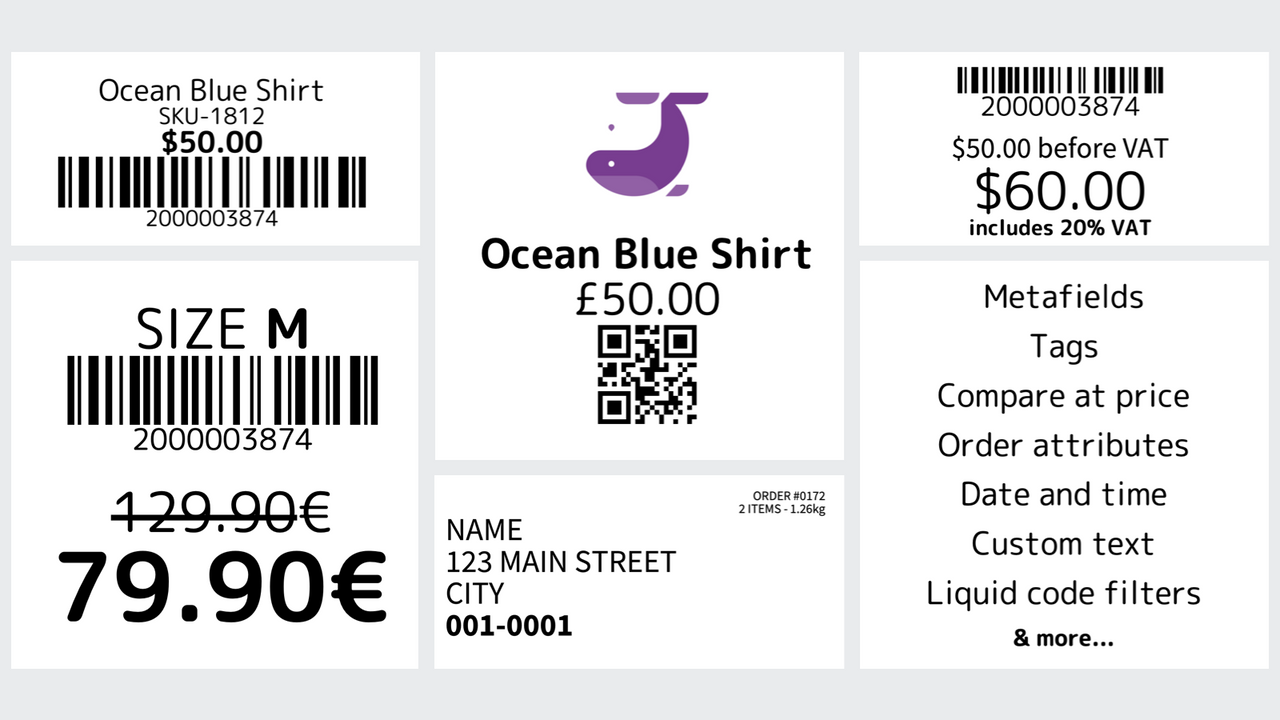
Why it's on our list: flexibility. Templates use Liquid, Shopify's own template language, so you can add metafields, logos and almost any product or order data. Beyond product labels it prints address labels and order labels, and it assigns barcodes and SKUs in sequence.
What stands out: one simple $9.99 plan with everything unlimited, support for Dymo, Zebra, Brother, Rollo, TSC, GoDEX and regular inkjet or laser printers, and patient support. Flávio is named in several 2025 and 2026 reviews for fixing printer problems.
Watch out for: there is no free plan and no Built for Shopify badge. In 2023 a merchant found Google Shopping rejected codes that started with zero (the starting number is configurable), and a 2024 reviewer felt it took too many clicks to print a simple label.
- Liquid label templates
- Metafields and logos
- Sequential barcodes and SKUs
- QR codes
- Address labels
- Order labels
- Dymo, Zebra, Brother, Rollo
- TSC, GoDEX, inkjet and laser
Pros
- Liquid templates with metafields
- Order and address labels too
- One flat price, everything unlimited
- Long track record
Cons
- No free plan
- More clicks than simpler apps
- Codes are not GS1 GTINs
9. F: Retail Barcode Generator: Best for buying UPC and EAN codes in the same app

F: Retail Barcode Generator by Final Apps has been live since 2022, holds a 4.4 rating from about 70 reviews and has the Built for Shopify badge. Google currently ranks its listing on page one for "shopify barcode generator".
Why it's on our list: it lets you buy UPC and EAN codes inside the app as well as generate and print them. The free plan includes unlimited barcodes and 40 print credits, a $5 one-time pack adds 100 credits, Pro at $19 a month gives 1,000 credits and custom templates, and Premium at $49 gives 5,000 credits and multiple templates.
What stands out: support for Dymo, Zebra, Avery and GS1-128, plus bulk barcode generation for whole collections.
Watch out for: about 14% of its reviews are one-star, the highest share here apart from Shopify's own app. In 2023 a merchant found it replaced existing barcodes without warning (the developer says it can be undone and added a notice), a 2024 reviewer said previews used up print credits, and a March 2025 update briefly broke product search before it was fixed.
- UPC and GTIN generation
- Buy UPC and EAN codes in app
- Bulk generation by collection
- GS1-128 support
- Dymo, Zebra and Avery labels
- Custom templates on Pro
- $5 pay-as-you-go pack
Pros
- Buy codes and print in one app
- Unlimited free barcode generation
- GS1-128 support
Cons
- Credit-based printing
- Higher share of negative reviews
- Back up existing barcodes first
10. Shopify Retail Barcode Labels: Shopify's own free label app

Retail Barcode Labels is Shopify's own free app, launched in 2018. Many merchants try it first because Shopify links to it from its help center, so it belongs in any honest comparison.
Why it's on our list: it is free, built by Shopify and available in 21 languages. It assigns each variant an 8-digit Code 128 barcode based on the last 8 digits of the variant ID, and prints labels with the price, SKU and variant from a fixed set of Dymo, Avery and Zebra templates.
What stands out: it is quick to start, and you can print straight from the product list in your Shopify admin or save labels as a PDF.
Watch out for: it has a 2.3 rating, and about 44% of its reviews are one-star. Shopify's own help center notes it supports Code 128 only, cannot add custom label sizes, cannot print from an iPad, prints labels in alphabetical order and can overwrite barcodes you already entered. Its codes also are not suitable for Google Shopping. In July 2026 merchants reported an update that removed SKU printing on Avery 5167 labels and changed barcode length and font.
- 8-digit Code 128 barcodes
- Codes based on the variant ID
- Price, SKU and variant on labels
- Dymo, Avery and Zebra templates
- Print from the product list
- Save labels as PDF
Pros
- Free and made by Shopify
- Quick to start
- Fine for a handful of labels
Cons
- Code 128 only, fixed templates
- No iPad printing
- Recent update problems, limited support
- Codes not suitable for Google Shopping
How to Create and Print Barcodes in Shopify
Whichever app you choose, the process is the same: give each product a code, print a label, then scan it at checkout or in the stockroom so Shopify updates your inventory.

- Clean up your SKUs: give every variant a unique SKU first. Apps such as SGT and Airo can generate SKUs with your own prefix rules if you have none.
- Back up your products: export your products as a CSV from the Shopify admin. Some apps can overwrite existing barcodes, so a backup lets you undo mistakes.
- Generate barcodes: use your app to create codes for the products that need them, or paste in GS1 codes if you bought them. Codes are saved to each variant's Barcode field.
- Check for duplicates: run the app's duplicate check, or sort your product export by barcode. Remember that 100 identical shirts share one barcode, but every size and color needs its own.
- Pick a label and printer: thermal printers from Zebra, Dymo, Rollo or Brother are fastest for retail, and Avery sheets on an inkjet or laser printer work for small runs.
- Test-scan, then bulk print: print one label, scan it with Shopify POS or a handheld scanner, and only then print the full batch.
Print tips that prevent scanning problems: print black bars on a white background (many scanners use red light, so avoid red), use 300 dpi or higher, keep the blank quiet zone on each side clear of text and logos, and do not shrink barcodes so far that the thinnest bars blur together. Shopify's barcode guide covers these in more detail.
If you need barcodes wired into an ERP, a warehouse system or a custom POS flow, our Shopify app integration team can set it up and test it end to end.
Final Verdict on the Best Shopify Barcode Apps
ReFo: Barcode Labels Generator (Retail Force Barcodes & Labels) is our pick for the best Shopify barcode generator in 2026. It is free with no label limits, supports every common format and is the most trusted label app in its category. MS Barcode Labels is the best for custom label design, Yanet scales best for high-volume teams, and EasyScan is the right choice when you want barcodes and inventory management together.
Which barcode app fits your store?
- You want free labels with no limits: ReFo (Retail Force Barcodes & Labels), or Airo if you mainly need automatic code generation.
- You want branded, custom-designed labels: MS Barcode Labels, or CTS Multi Barcode Labels if you are comfortable editing Liquid templates.
- You print thousands of labels with a team: Yanet, with staff permissions and plans up to unlimited.
- You also need stock counts, pick and pack and reordering: EasyScan.
- You need clean SKUs on a tight budget: SGT at $3.99 a month.
- You want metafields or market prices on labels: BarcodeMan.
- You want to buy UPC codes and print in one app: F: Retail Barcode Generator.
- You only print a handful of simple labels: Shopify's own Retail Barcode Labels app, keeping its limits in mind.
Our advice: decide first whether you need internal codes or GS1 GTINs, start on a free plan, test-scan your first labels and only then generate codes for your whole catalog. If you want help planning your store's inventory and POS setup, talk to the Ecomzier team.
Shopify Barcode Generator FAQ
What is the best barcode app for Shopify?
For most stores, ReFo: Barcode Labels Generator (Retail Force Barcodes & Labels) is the best Shopify barcode app in 2026. It is free, rated 5.0 from more than 550 reviews, supports UPC, EAN, Code 128 and QR codes and prints to almost any label printer. MS Barcode Labels is the best pick for custom label design, Yanet for high-volume printing and EasyScan if you also want inventory management.
Can Shopify create barcodes for me?
Partly. Every Shopify product variant has a Barcode field where you can store a UPC, EAN or ISBN, but Shopify does not issue official barcodes. Shopify's free Retail Barcode Labels app can assign 8-digit Code 128 codes based on the variant ID, and Shopify also offers a free online barcode generator. For bulk generation, more formats or better labels, use a barcode generator app.
Is Shopify's free barcode generator enough?
Shopify's free online generator creates one barcode image at a time, which is fine for a few products. It does not save codes to your products or print labels in bulk. Once you have more than a handful of SKUs, a free app such as ReFo (Retail Force Barcodes & Labels) or Airo, or the free plans from MS Barcode Labels and Yanet, will save you hours.
Do I need GS1 barcodes to sell on Amazon or Google Shopping?
In most cases, yes. Marketplaces and Google Shopping expect a unique GTIN registered with GS1, and Amazon checks product IDs against GS1's records. Codes generated by an app are internal barcodes that work in your own store and POS but are not registered. In the US, GS1 charges $30 for a single GTIN, or $2,500 for 1,000 GTINs plus a $500 yearly renewal. Once you have them, any app on this list can print them.
How do I bulk print barcode labels in Shopify?
Install a barcode app with bulk printing, select the products or collections you need, enter the quantity for each variant and print to your label printer. ReFo (Retail Force Barcodes & Labels), MS Barcode Labels, Yanet and SGT all support bulk printing, and Yanet and Airo also accept a CSV. Shopify's own Retail Barcode Labels app requires you to choose each variant and quantity by hand.
Which printers work with Shopify barcode apps?
Thermal label printers from Zebra, Dymo, Rollo and Brother are the most common, and most apps on this list support them. You can also print on sheet labels such as Avery with a regular inkjet or laser printer. Print black on white at 300 dpi or higher, and test-scan a label before printing hundreds.
Can I use my phone to scan barcodes in Shopify POS?
Yes. The Shopify POS app can use your phone or tablet camera to scan product barcodes, and it also works with compatible Bluetooth and USB scanners for faster checkout. Every barcode you scan must match the value saved in the product's Barcode field.
Will a barcode app overwrite my existing barcodes?
It can. Shopify warns that its Retail Barcode Labels app can replace barcodes you entered manually, and some third-party apps have done the same. Before generating codes for your whole store, export your products as a CSV backup and run the app on a small collection first.
Sources: Shopify App Store listings and reviews for all 10 apps (checked October 19, 2026); Shopify: barcode FAQ; Shopify: barcode generator apps; Shopify Help Center: Retail Barcode Labels; Rankbase; EComposer.